Research without tab pileup
Save options as you browse, then close the tab knowing the link, image, and price are waiting in Tote.
Tote for Chrome
The Tote browser extension captures product details while you shop, then sends each find to the collection where you are making the decision.
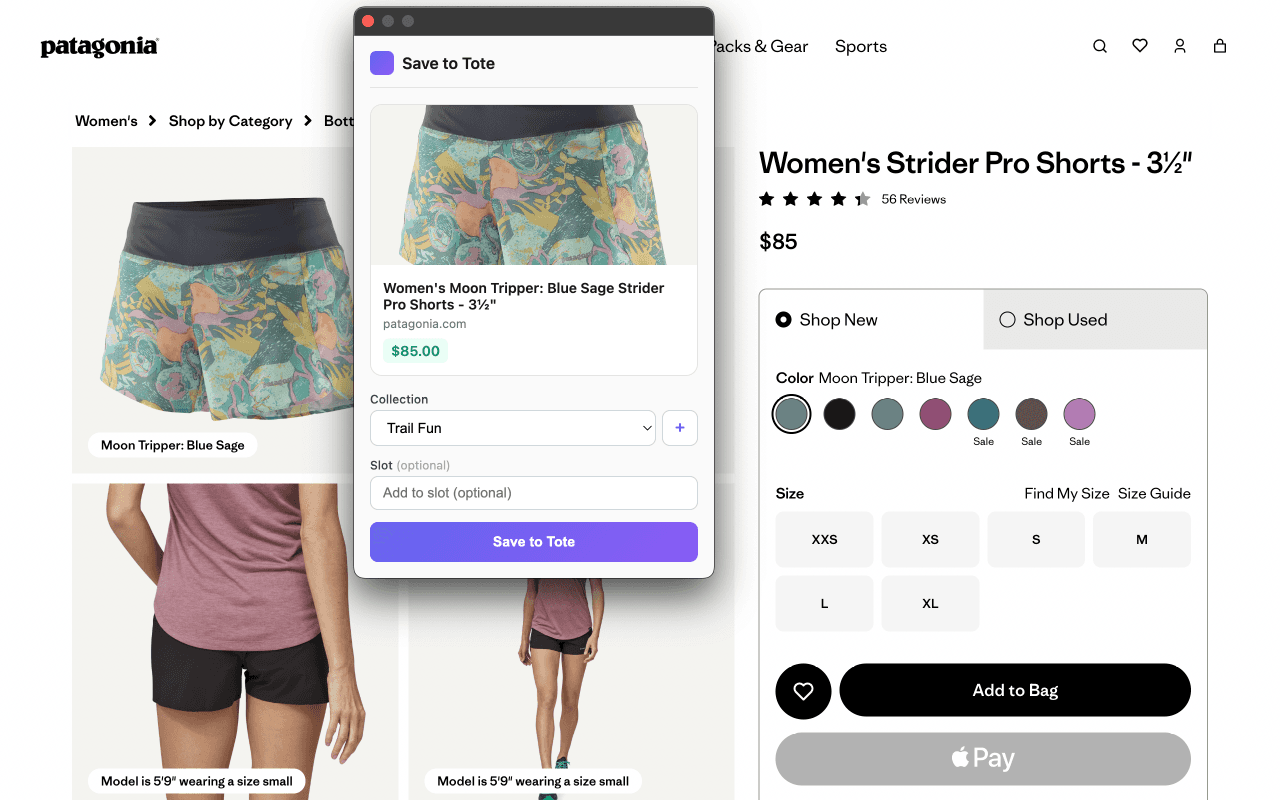
What it captures
Tote reads the product page you are viewing and fills in the useful parts automatically. You can still edit the saved product in Tote when a store page is unusually sparse.
How people use it
Save options as you browse, then close the tab knowing the link, image, and price are waiting in Tote.
Choose the right collection and slot from the popup so every find lands where the decision is happening.
Use Tote later to refresh prices, shortlist favorites, share a board, and move from maybe to decided.
Need the details?
The extension guide covers permissions, pinning the toolbar icon, one-click saves, right-click saves, collection slots, and what to do when a store page does not expose complete product data.
Start saving